The number of signatures available in your Dokobit by Signicat plan depends on your subscription and location. Some plans include a fixed number of signatures, while others use a pay-as-you-go model.
For plans that include signatures, the quota resets every 30 days, either from the registration date (Free plan) or from the date the paid plan was activated.
Below, you'll find instructions on how to check your usage statistics, along with additional information about signatures that have exceeded or may exceed your plan limits.
How to check the number of used signatures in a Free or Professional plan account
| Note: These statistics will only portray the number of used signatures for the current 30-day cycle. |
1.0. Open the Settings by pressing the gear icon next to your name and email address.
1.1. From the menu on the left, select Billing.
Here you'll be able to see the monthly usage counter and its next reset date.
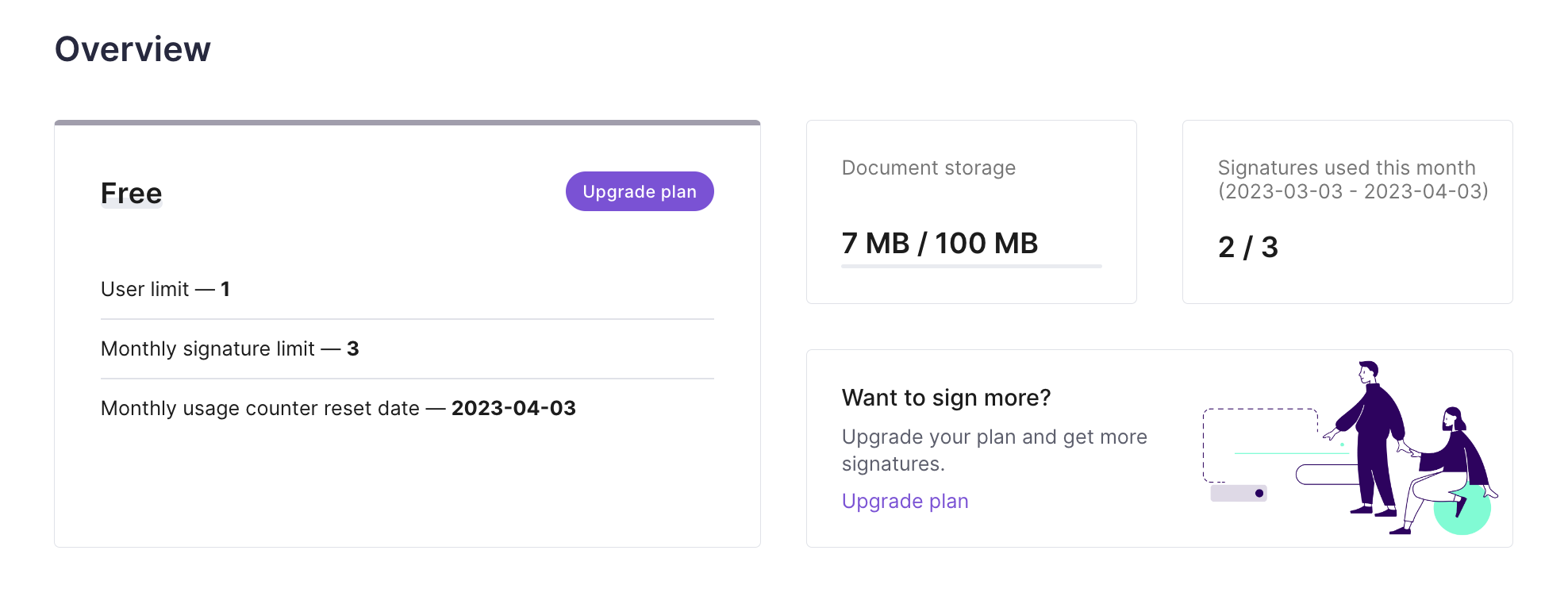
How to check the number of used signatures in a Business or Enterprise plan account
| Note: This data is accessible only to the account owner and admins. Other added users cannot see the statistics of the account that they're a part of, including their own. |
2.0. At the top of the page, press on the section Company data.

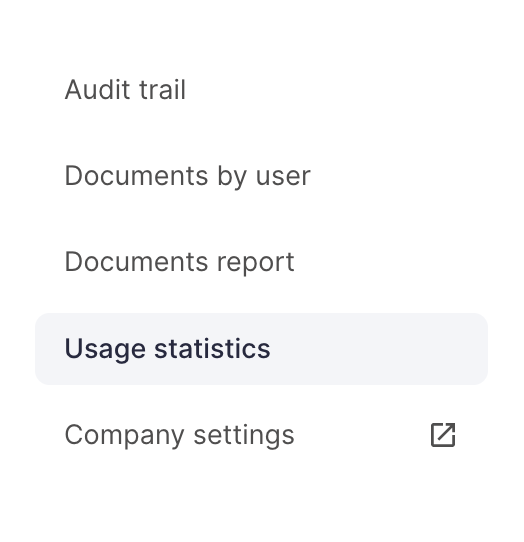
2.1. On the left side of the screen, choose the category Usage statistics.
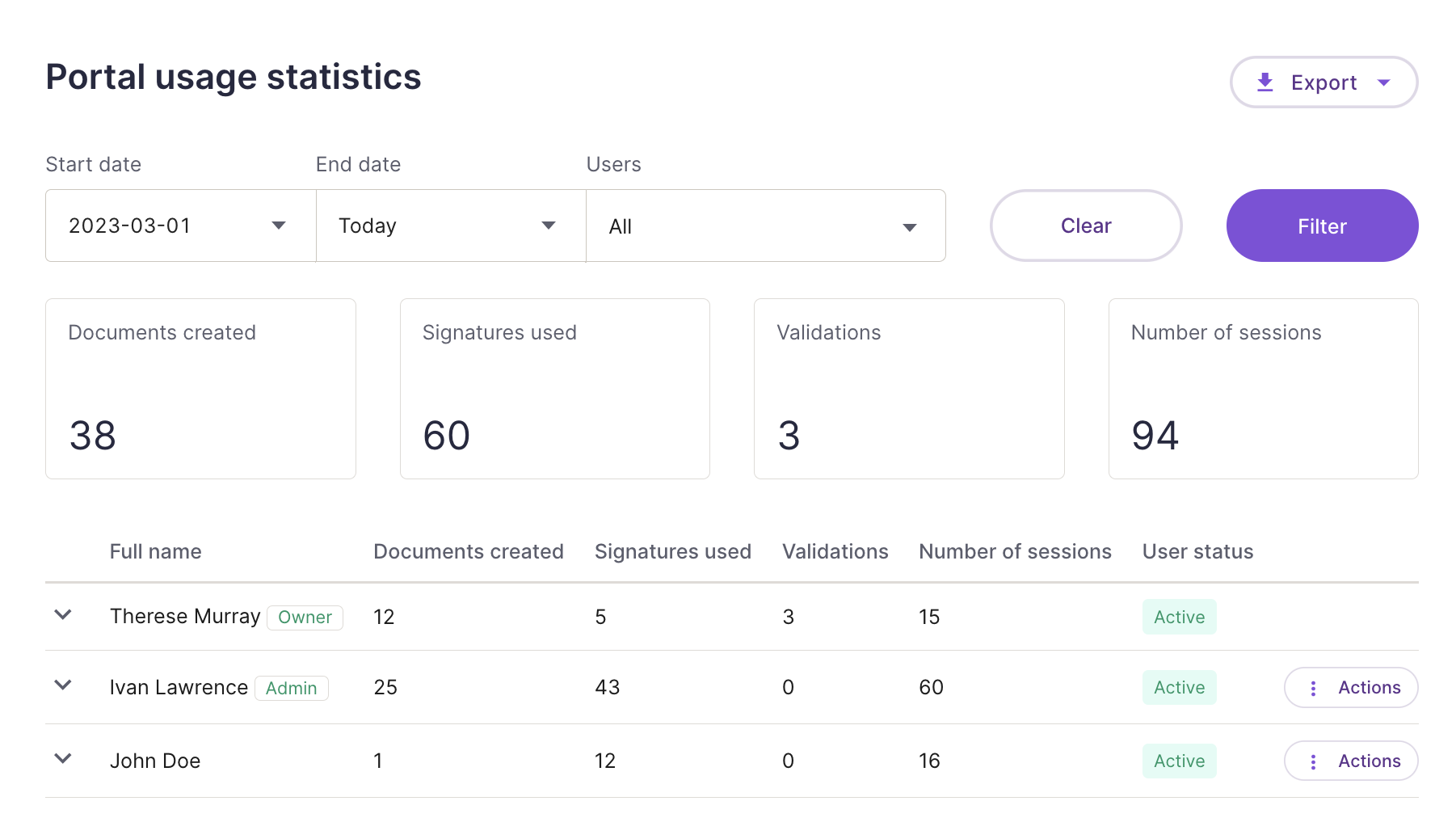
Here you'll be able to see detailed statistics for all the users added to the account and filter the shown results by each user and/or date.
| Note: Business plan users can check the monthly usage counter reset date by following the instructions of this guide in steps 1.0. and 1.1. |
What should I do if I've used up all the signatures included in my plan
Free account users can get additional signatures by purchasing one of our paid plan subscriptions.
Paid plan users that have exceeded the number of signatures included in their monthly subscription package can continue e-signing, keeping in mind that all of these additional signatures will be added to their next invoice according to the price rate of their current plan. Press here to see our price guide.
Who covers the cost of signatures when more than one party is involved in signing
If a document owner has a Free account, each signing party will cover the cost of their own signature.
If a document owner is a paid plan user, they will be financially responsible for all signatures from all parties involved.