2. Open the Settings by pressing the gear icon next to your name and email address.
3. From the menu on the left, select Billing.
4. Here's an example image of what you will see in the Overview section (the displayed information slightly differs for every Dokobit user, depending on which subscription was purchased):
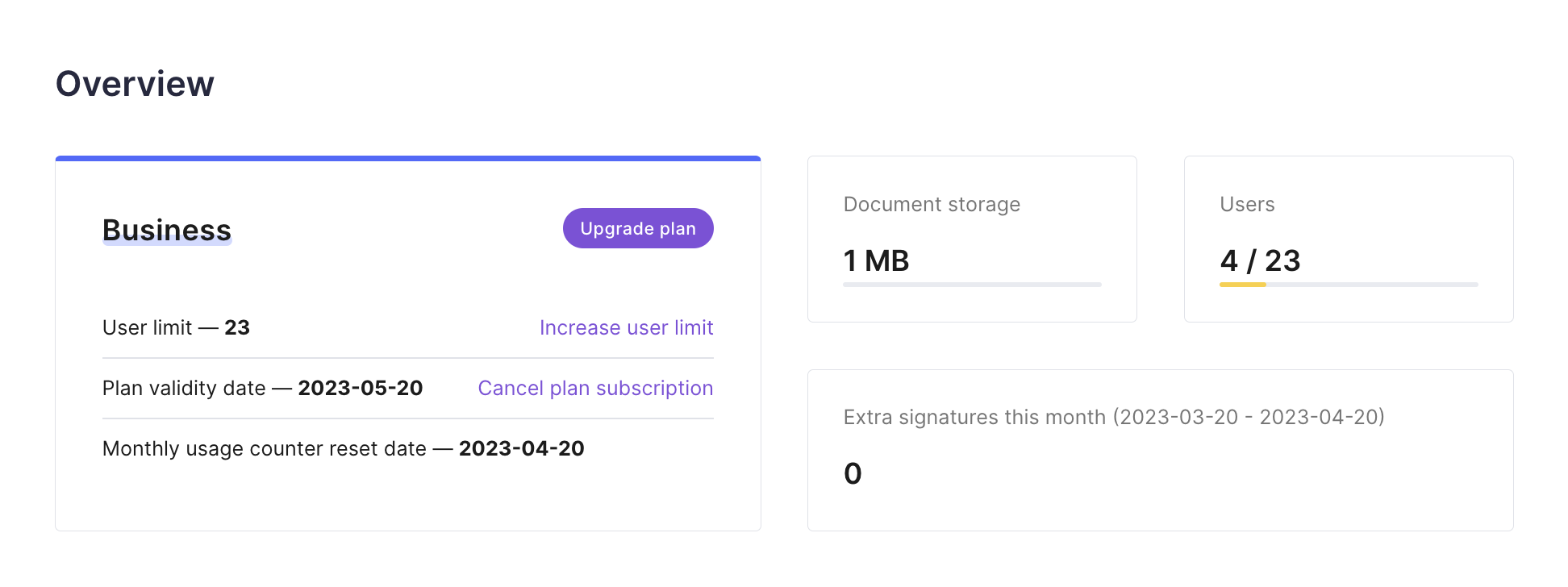
[Your plan name] → The name of the subscription that you're currently using.
User limit → The number of users that you've purchased for your account (applicable only for the "Business" and "Enterprise" plans).
Plan validity date → This date indicates when your subscription will expire.
Monthly usage counter reset date → This date indicates when the signatures that are included in your subscription package will reset. Please note that the signature counter resets every 30 days, either counting from the registration date (applies to the "Free" plan) or the paid plan purchase date.
Document storage → The amount of space that is being used up by the documents that you've uploaded.
Users → The number of available user slots that have been purchased versus how many users have already been invited to join the company account (applicable only for the "Business" and "Enterprise" plans).
Extra signatures this month → The number of used signatures that exceeded the limits of your chosen subscription within the current 30-day cycle (applicable only for the "Professional and "Business" plans).
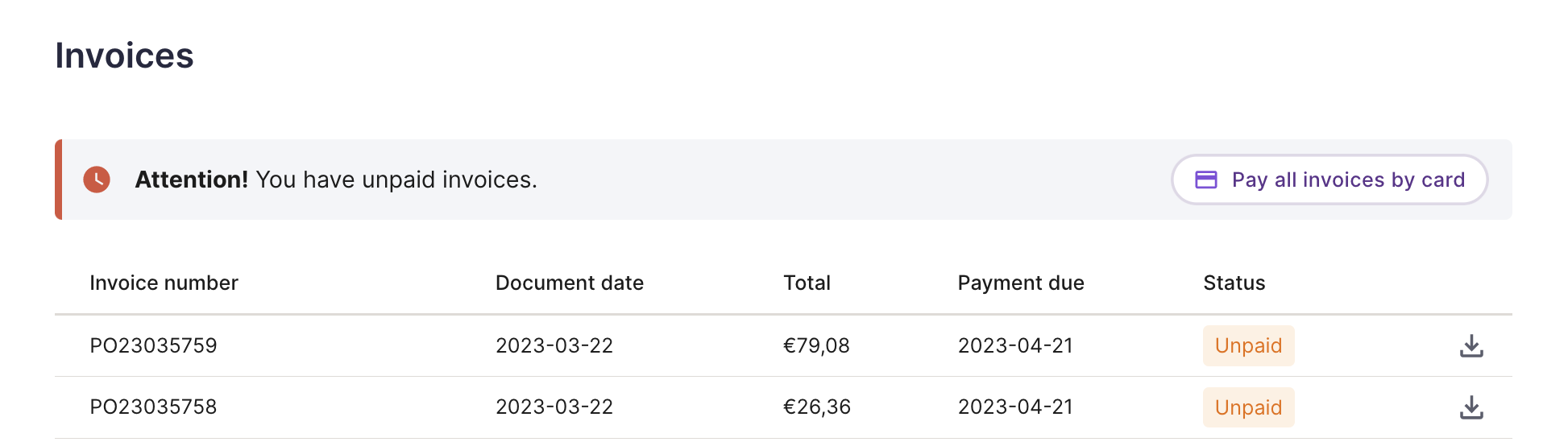
5. In the Invoices section, you will see the following:
- All the invoices that were issued to your account;
- The date they were issued on;
- The total pending amount;
- The payment due date;
- The status of the invoice;
- The ability to download a PDF file of each invoice.