We allow CSS overwriting in Identity Gateway, if you would like to change your user experience. You can customize colors, fonts, sizes, shapes, and sections to maintain a consistent style for a pleasant user journey.
For redirect based integrations, you would need to create a public CSS URL that you host and share the link with us (developers@dokobit.com). We will include the URL in your access token configuration.
With embedded integration you can target CSS changes for Identity Gateway from your end.
| Note: You can customize the UI beyond this guide. Please be mindful of significant CSS changes that could negatively impact the functionality. |
Below you will find a list of sections defined as CSS classes that you can customize to your liking. Make sure to include parent #dokobit-identity .
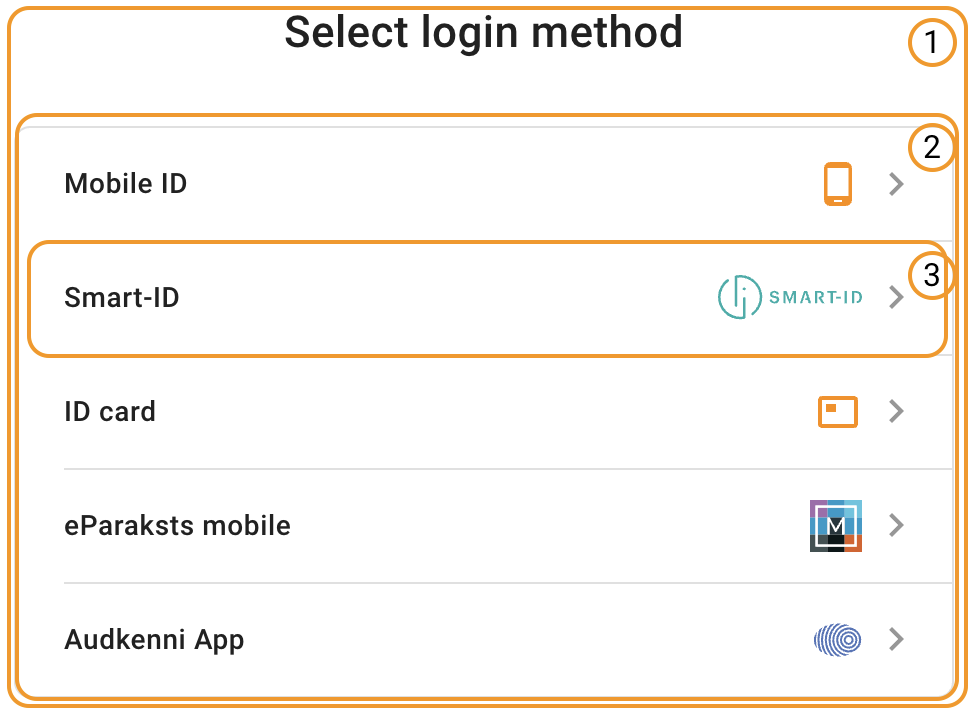
Select login method screen
- Identity Gateway section (.dokobit-main)
- eID method list block (.d-methods-list)
- eID method list item (.d-methods-list__method)
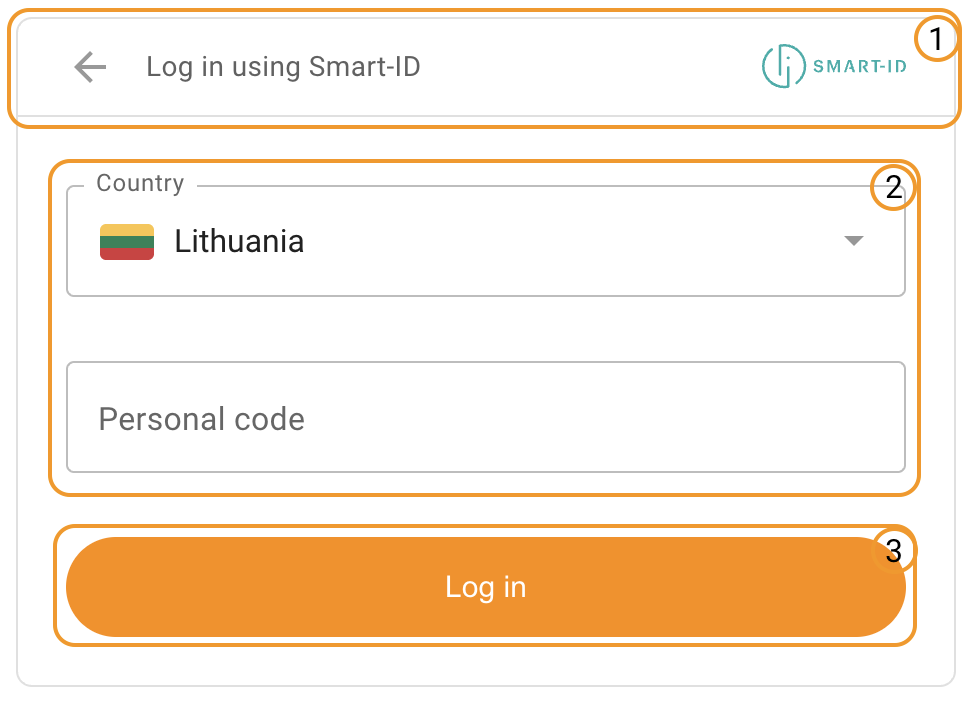
Selected eID method screen
- Back button section (.dokobit-main__back)
- Audkenni App, Smart-ID and Mobile-ID inputs and options (.d-form-group)
- Login button (.dokobit-main form button)
Note: ID card options (#isign-applet)
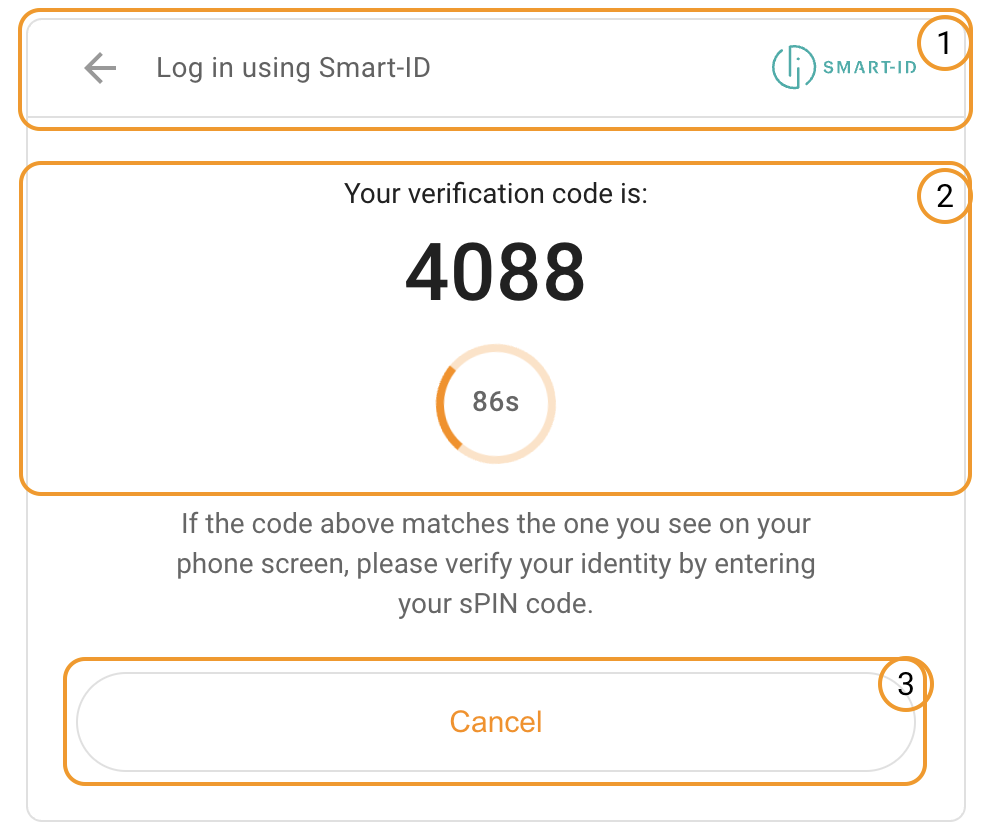
Authentication progress screen
- Back button section (.dokobit-main__back)
- Control code section (.d-control-code)
- Cancel button (.dokobit-main-btn--cancel)
Other useful elements:
- Dokobit spinner (#dokobit-spinner)