We allow CSS overwriting in Documents Gateway, if you would like to enhance your user experience. You can customize colors, fonts, sizes, shapes, and sections to maintain a consistent style for a pleasant user journey.
To do so, you would need to create a public CSS URL that you host and share the link with us (developers@dokobit.com). We will include the URL to your access token configuration.
| Note: Please be mindful of the What You See Is What You Sign (WYSIWYS) principle coming from the ETSI TS 119 431-2 standard. Content must be clear and visible for the client to make an informed decision when signing. |
Below you will find a list of sections defined as CSS classes that you can customize to your liking.
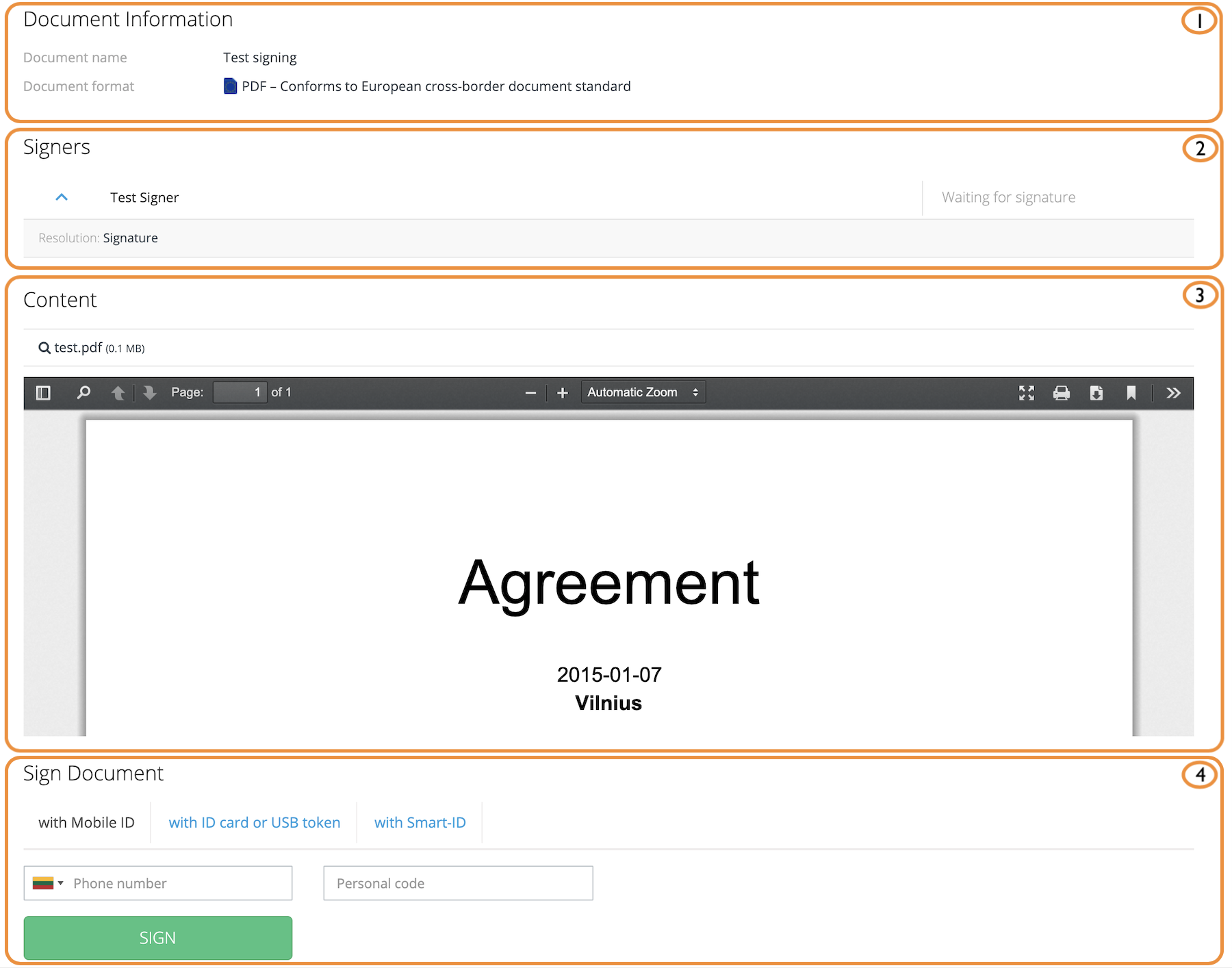
Document Signing window
- Document Information section ( .isign-details-block )
- Signers section ( .isign-signers-block )
- Content section ( .isign-documentlist-block )
- Sign section ( .isign-sign-pane )
| Note: ADOC containers carry additional class for metadata ( .isign-meta-block ). |
Successful Signing
- Document Information section ( .isign-details-block )
- Signers section ( .isign-signers-block )
- Content section ( .isign-documentlist-block )
- Download section ( .isign-download-block )

Open signing window
- Metadata section
- Content section ( .document-list-block )
- Signers section (if the document is signed)

Sequence Signing window
- Notification section ( .action-bar__notification )
- Signers section ( .isign-signers-block )
- Content section ( .document-list-block.isign-documentlist-block )
- Sign section

Successful sequence signing window
- Documents section ( .sequence-result-listing )
